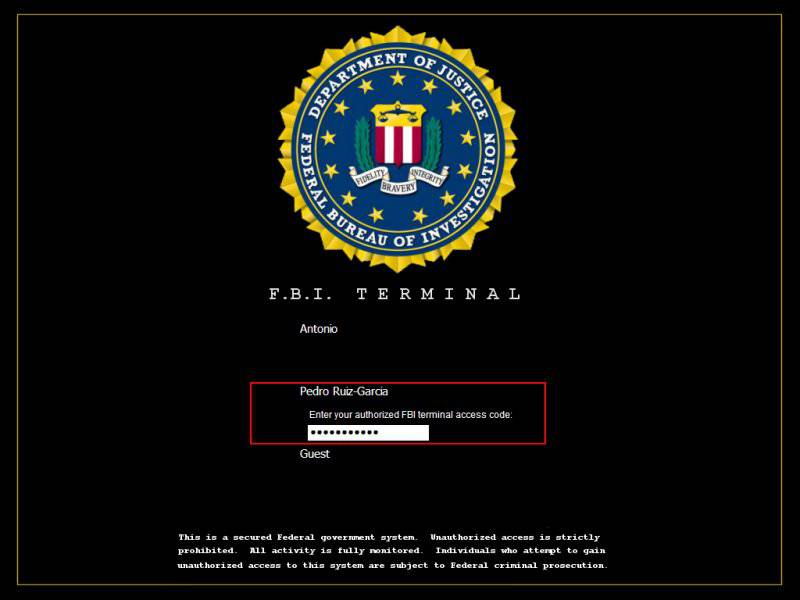
1) Download LogonStudios (It's Vista version but if you have Windows 7 it works)
Code:
http://www.megaupload.com/?d=I8DIQ2YN
For xp users:
Code:
http://www.stardock.com/products/logonstudio/downloads.asp
2) You can download the FBI file here
Code:
http://www.wincustomize.com/explore/logonstudio_xp/9606/
Or
Code:
http://skins19.wincustomize.com/24/79/2479496/26/9859/preview-26-9859.jpg
Optional 3) The switch user button was annoying me so i downloaded this to remove it (I'm the only one on my computer so i doubt ill miss it)
Code:
http://www.megaupload.com/?d=8N0EGIW4
Start it up, then open it and it'll do the rest
For the users that want their 'switch user' button back download this:
Code:
http://www.megaupload.com/?d=AA5V5SFQ
Just run the file and it will return your button.
Thats It
Enjoy
Showing posts with label Windows Xp Tricks. Show all posts
Saturday, September 10, 2011
Friday, September 25, 2009
Crack BIOS Password !!!
Forgot BIOS Password ?
Do the following :
1. Open the CPU
2. Now, observe the motherboard.
3. You notice a coin like silver Battery(3V).
----------------------------------------- NOTE --------------------------------------------------------
This battery is 24 x 7 power supply for the BIOS, which is used to run the system clock will the main power is off. It also initiates the booting process when power is switched on.
-----------------------------------------------------------------------------------------------------------
4. Remove the battery from the motherboard.
(It is safe to remove the Battery)
5. Wait 30 seconds and place the battery back on the motherboard.
6. Now, when you start your system you won't be prompted for the BIOS password.
Enjoy !!!
------------------------------------ CAUTION -----------------------------------------------
1. Perform on your own risk !
2. You have to set the time of your computer when you start again.
---------------------------------------------------------------------------------------------------
Do the following :
1. Open the CPU
2. Now, observe the motherboard.
3. You notice a coin like silver Battery(3V).
----------------------------------------- NOTE --------------------------------------------------------
This battery is 24 x 7 power supply for the BIOS, which is used to run the system clock will the main power is off. It also initiates the booting process when power is switched on.
-----------------------------------------------------------------------------------------------------------
4. Remove the battery from the motherboard.
(It is safe to remove the Battery)
5. Wait 30 seconds and place the battery back on the motherboard.
6. Now, when you start your system you won't be prompted for the BIOS password.
Enjoy !!!
------------------------------------ CAUTION -----------------------------------------------
1. Perform on your own risk !
2. You have to set the time of your computer when you start again.
---------------------------------------------------------------------------------------------------
Labels:
Windows Xp Tricks
Subscribe to:
Posts (Atom)

